Thursday, 10 March 2011

seamless patterns for backgrounds

Why not? They will work very nicely, there is a huge selection to be found online and you can even make them yourself with special softwares and photoshop plugins.

First off, let us start with a few of the pattern libraries you can find online:


http://www.indrikov.com/pattern_violina/pattern_violina.html


http://www.squidfingers.com/patterns/10/


http://www.brusheezy.com/patterns (also lots of psd brushes)

http://www.deviantart.com/?order=9&q=patterns (of course!)


http://patterns.ava7.com/


http://pattern8.com/


http://www.noqta.it/dromoscopio/

And if you still cannot find what you are looking for, then you may also want to try your hand at making your own. Imagelys gives out a free photoshop plugin which makes seamless patterns, which you can download from here. I have not personally tried this, however I have an idea that for it to work at its best you may want to download the texture packs on the page as well and start off from those.

Richard Rosenmann (who has a great collection of free photoshop plugins by the way) has a seamless texture generator plugin called Tiler for photoshop.  Again, I have not tried this out myself, but you can download it from here (scroll all the way down the page): http://www.richardrosenman.com/software/downloads/

 (Tip:  Some of Richard Rosenmann's other plugins (such as 'Halftone', 'Pixelate', 'Scanlines' and even 'Ascii Art' also do a great job of creating seamless textures. Try them out for sure!  :-) 

And then there are of course the really nice ones, however they do have a price tag attached: Pattern Studio is one. And then there is a really great one called Mystica which is actually a software for generating textures for 3D. And then finally Genetica, is another a 3D texture software which can be used to generate seamless textures.

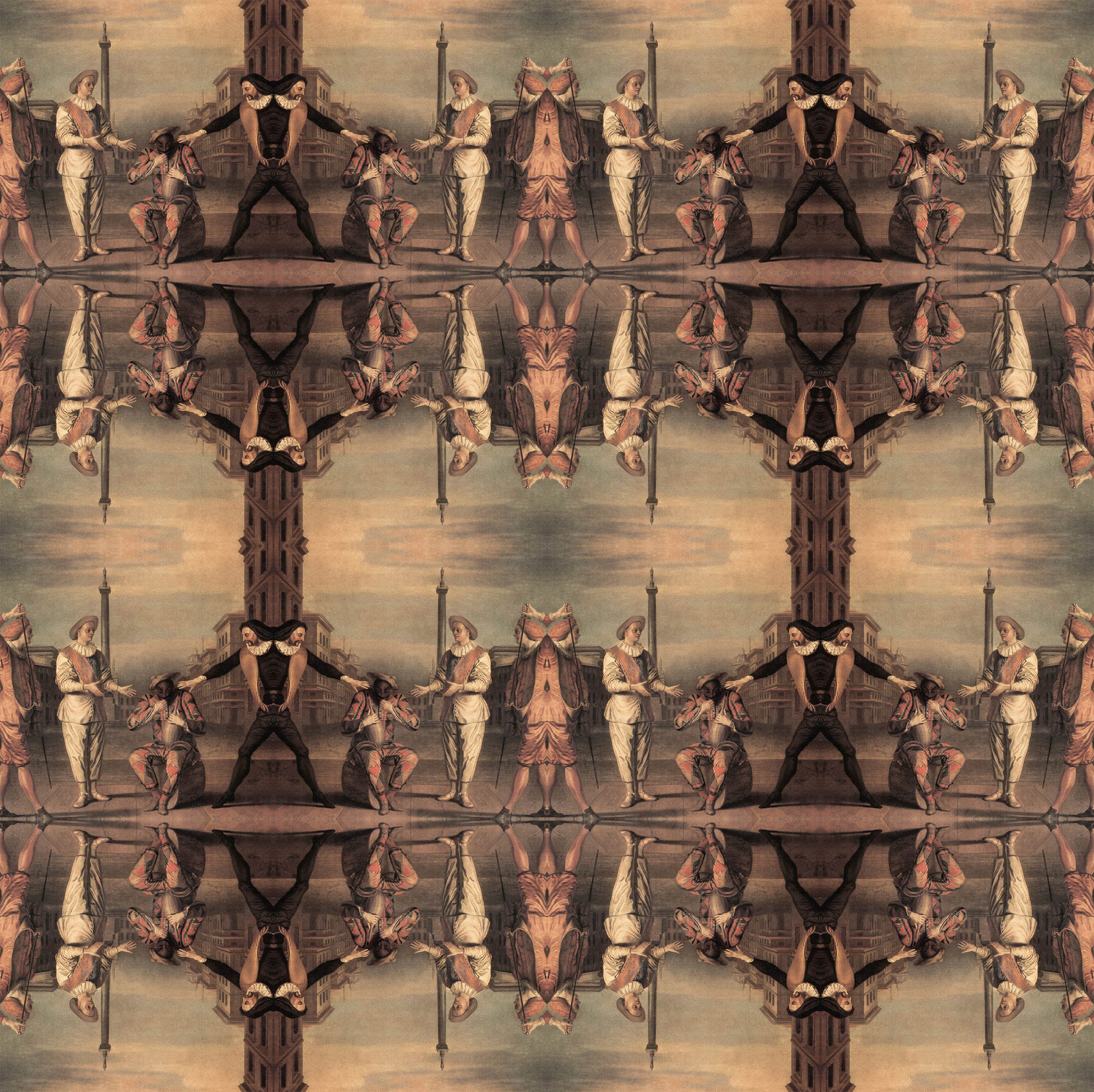
And then, if you want to go even further you can make a seamless background image by following the steps in this earlier tutorial here. Only difference would be that you should preferably use a square format rather than a rectangle and also that you pick an image (or crop a part of an image) which will look nice as a pattern The rest is very much the same: Flip, blend, merge, flip again, etc. And sometimes use a layer mask and sometimes not, depending on how things look... And remember that the strangest things can give you a result: Below I am linking a seamless image which I made out of an old master painting. So, basically use your imagination and experiment...


................................................................................................................................

Graphic Designer - Netways

- BA in graphic design or similar discipline
- Minimum of two years of experience in web design and online marketing at an advertising or interactive agency

Technical Knowledge
- Advanced knowledge of Photoshop, Illustrator, Flash, and DreamWeaver (After Effect, 3D, and video editing soft)
- Advanced knowledge of HTML, CSS, Flash Action-Script (JavaScript and PHP a plus)
- Experience in web design: develop the look and feel for sites and is responsible for site navigation design and visual execution
- Experience in Portal design: the candidate should be an information technology professional. He is responsible for designing the graphics and overall layout of the pages of a website. In addition to having a keen understanding of computer science he must also be artistically inclined.
- Advanced knowledge in web standards: browser usability, cross-platform compatibility, SEO techniques, etc.

Role and Qualifications
- Ability to create superior, original designs for the Web
- Knowledge of Web site structure and functionality.
- Responsible for both the visual appearance and the usability of the web site or portal.
- Strong conceptual skills, including online software concepts and online experience concepts
- Strong design style, including creative design solutions within the constraints of the Internet.
- Understanding of and experience in corporate branding, layout, colour theory and typography in both print and digital media.
- Strong technical knowledge of how web-based technologies apply to web design such as HTML, Flash, CSS, and AJAX.
- Fluency in current graphic design practices and web production software, such as Adobe Photoshop, Adobe Illustrator, Adobe After Effects, Flash , , HTML, CSS.
- Experience with 3D is a plus.
- Has demonstrated successful design and integration, and the delivery of projects on time and within the given budget.
- Excellent organization and communication skills
- Solid understanding of client deliverables, and the ability to take responsibility for them.
- Strong analytical skills and the ability to meet tight deadlines is essential for a fast-paced environment

cv@netways.com

Wednesday, 9 March 2011

Web Designer - Dubai

Seeking a Web Designer with 3+ years of experience, Flash, Photoshop, PHP, MY SQL, and other design software experience.

naimhalabi@tahg.com

Tuesday, 8 March 2011

Graphic Designers - Malik's

Full Time graphic designers or creative computer operators needed in our branches located all over lebanon to assist clients and companies with their different projects like brochures,business cards,logos,design,corporate identities and much more..

personnel@maliks.com

Monday, 7 March 2011

Graphic Designer - K-Lynn Lingerie

A retail company located in Adonis Zouk Mosbeh is seeking a graphic designer with:
- web managing skills
- knowledge of Adobe Photoshop and Illustrator
- organized and self motivated.

info@klynnlingerie.com

Sunday, 6 March 2011

design stuff: background images

A few useful hints on how to choose background images:

Your design will go in one of two directions: You will either have boxes inside of which you place your content or you will do a free floating layout, such as the one you see here on the easy peasy site. These are two distinct approaches which will also determine your background images. If you have things boxed then you can be far more adventuresome with your background since the boxes will see to it that the content of your site stands apart from whatever it is that is going on behind them. If you go for the free floating look however, then the background will need to have very very low contrast, it really needs to go all the way back, so that it doesn't interfere with your content, be it images or text.

However, even if you have boxes, it may still be a good idea to consider what sorts of visual material will be part of the actual content later on. If you plan on using lots of really colorful images then it may still be a good thing to have a background which will not interfere with that. If, on the other hand, your content is mostly text based with relatively few images, or always low saturated ones - then it may be a really good idea to have a strong background.


I created a dummy site for this course, so that I can show examples of what I am talking about without ruining the real thing. Here, I put boxes underneath the content and then placed very high contrast black and white images into the background. Since the boxes create enough of a separator this does seem to work.

Another thing is the subject matter itself: Going back to the scuba diving website which one class member is thinking of doing. In all likelihood most of his images will be underwater photographs and so forth. In which case a nice deep sea image, or an abstract image in strong blue hues will probably look really good as a background for that.

A word which you will hear me say a lot over the next weeks is Gestalt. Essentially what this means is that any design work has to be considered as a whole, every visual component has to be related to everything else through closure, through alignment, proximity, similarity etc. So, the background is only one component of a complex system which we will be building together. The good news is that in web design you can always go back and adjust things, change things, add and delete things if they are not working out. That said, it is still good work practice to think about future visual relations as you are putting some thought into a background for your website now.

................................................................................................................................

Graphic Designer - Pikasso

- Develop proposals, concepts and workshop drawings to meet client requirements for new projects and products.
- Diploma in Graphic Design, Interior Design or any related field
- Knowledge of Adobe Photoshop, Illustrator, Microsoft Office, AutoCad 2D.

careers@pikasso.com
Girls Generation - Korean