Showing posts with label Software. Show all posts

Friday, 1 February 2013

Microsoft "Expression Web" is now freely available for download!

What once used to cost quite a bit is now available for free - which makes MEW one of the few split view web editors available at no cost:

Apparently, the only thing that differs from the full version is that there is no company support for the free product. However, there is a community forum that you can access from the link above; and many tutorial videos can be found on YouTube, here:

Also check out Microsoft "Expression Design" (now also free) which you can download from the link above as well.
:)

.................................................................................................................................  

Thursday, 21 April 2011

finding the broken URL's on your site

If you have a big site with many pages, especially one with lots of images that you have linked to externally (or just a lot of regular links for that matter), it may end up becoming very difficult to keep track of whether everything is still in working order.

The free application below, developed by a very nice gentleman named Tilman Hausherr, does a scan which took about 5 minutes to complete for my HVC site, which has a huge number of links at this point. Found 2 missing images and one broken text URL. Of course, I had no idea that they were even gone! Very impressive!

Download, install and run to see how well you are doing with your URL's:

.................................................................................................................................

Friday, 1 April 2011

creature house expression

This is probably the greatest vector drawing software that has ever been made. Basically Creature House Expression lets you draw smooth vectors (as intuitive as a real brush if you also have a tablet) which can become the most gorgeous water color strokes you could ever possibly wish for! It will also transform type and all sorts of other vector shapes (you can open Illustrator or EPS files), into painterly effects, which you can then export back out as a 24 bit PNG image with full transparency at whichever size you want.

It used to be freeware but then the rumor has always been that Microsoft bought it up and integrated it's key properties into their design suite Microsoft Expression (not to be sneezed at either by the way, excellent package in fact!) and took the free version off the shelf.

And then today I read somewhere that this wasn't so, and that a free download of Creature House Expression, for both PC and Mac, was still hidden away somewhere in the depths of the Microsoft Expression website. And sure enough, a bit of burrowing around and I found it:
http://www.microsoft.com/expression/expression-design/Default.aspx
Just downloaded it, installed it, and YAYY! It is a fully functional software!


Go go go! What on earth are you waiting for? Download now! Before they change their minds over there!

 Note:  I have quite a few additional creature house strokes and environment maps, which I downloaded back when the software was all over the place and people were developing freely downloadable stuff for it. I have put them all here:
http://www.citrinitas.com/easy-peasy/creaturehouse-stuff.zip
The strokes go to C: \ Documents and Settings \ All Users \ Application Data \ Creature House \ Expression 3 \ Strokes. And the environment maps go to the same location except Application Data \ Creature House \ Expression 3 \ Images \ EnvMaps on a PC. Where they all end up on a Mac, I have no idea.

You can also purchase a huge package of brushes for the software (very reasonably priced) from here:
http://www.graphicxtras.com/products/express.htm

.................................................................................................................................

Wednesday, 30 March 2011

splashup - another great online image editor


Beautiful dark, elegant interface. Makes one feel good just to look at it. You can edit and save images from and to various online domains, including Flickr and Facebook, as well as from and to your own hard drive, of course. And it seems to have quite a few of the necessary bells and whistles - such as layers, layer effects, filters and so forth...

Check it out here: http://www.splashup.com/

.................................................................................................................................

Thursday, 24 March 2011

chaoscope: a great application to create website backgrounds

Download and play! :-D


http://www.chaoscope.org/

 (Tip:   Start out with the stuff from the projects folder and take it from there. Pick different fractal formula from the very top of the panel. Choose different render modes. Drag your cursor to rotate the fractal. F3 makes a new shape, F4 renders it for you. Also remember to click on the gradients at the bottom to get random color schemes. 

.................................................................................................................................
Tuesday, 22 March 2011

pixie CMS

Pixie, a "small, simple", user friendly, (and free!) HTML editor, again comes to us via four Yip, my Second Life colleague and brilliant Dutch artist and illustrator.

.................................................................................................................................

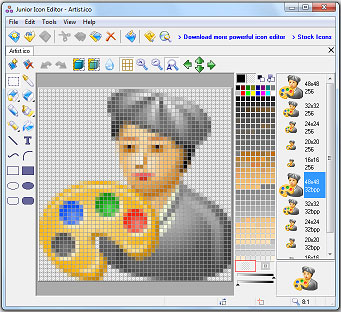
free icon editor

Nice little tool:
http://www.free-icon-editor.com/
:-)


.................................................................................................................................

Sunday, 13 March 2011

free vector editor

Speaking of free software, this seems very nice also. An opesourced vector editor called inkscape: http://inkscape.org/


Not an online application by the way, has to be downloaded and installed. But still definitely worth checking out!

.................................................................................................................................

Saturday, 12 March 2011

free online image editors

You may or may not have a state of the art image editor such as photoshop installed on your computer. While I cannot say that the alternatives will do just as well, the following may still work as good stop gaps, especially for basic tasks.


Pixlr claims to be the most sophisticated online image editor and it certainly lets you do a lot with your images, including working with layer masks and so on. You can also import images from flickr, picasa and facebook,  edit them and save them back to their original locations. Very nice!


The same also goes for FotoFlexer, again you can import images from various web domains and then play with a lot of effects, as well as add type and shapes to them.


Sumo (my favorite after pixlr) is a free online image editor with some very nice plugins and a very easy to learn interface.


Phoenix is less sophisticated as far as plugins go however the company which puts out this image editor also has an online procedural filter creator which allows you to create some very impressive filters of your own. One of the really cool online image manipulators is Lunapic, which lets you also add animations to still images which you can then save onto your harddrive.

And finally, although not online applications, gimp and paint.net are completely free and very close contenders to costly image editors such as photoshop.

.................................................................................................................................

Friday, 4 March 2011

the mindmap/preliminary site plan


Once you decide upon the content of your site it is time to become more specific and also to start putting your material in some sort of a hierarchical order. A very good way of doing this is through mindmaps.

Now, you can conceivably draw a mindmap on a piece of paper or a whiteboard. The thing with analog means is that they do not allow for too many changes of mind - every time you want to make a change you have to painstakingly erase things and start all over since obviously there is no such thing as copy paste in the physical world. A website is a living, dynamic thing, subject to many changes as you progress, and so it is a good idea to use a software for this. Freemind is opensourced and fantastic.

The screenshot above is a preliminary site plan for this site and I have put it here to show you how Freemind basically works. Insert gives you a child node and enter gives you a sibling node. You can write as much or as little explanatory text into the nodes. You can link nodes up with arrows and also cluster nodes through clouds. And there is even more that you can do with this, such as that you can add images and hyperlinks also.

So, next step: Download Freemind now and start putting together a preliminary site plan for your site.

.................................................................................................................................
Girls Generation - Korean